01
See more.
More of the collection than a trip to the fitting room could ever cover.
See your favourite outfits on you before you buy. Try different styles, compare each look against your own photo, and know what fits with StyleFrame’s AI virtual try-on.
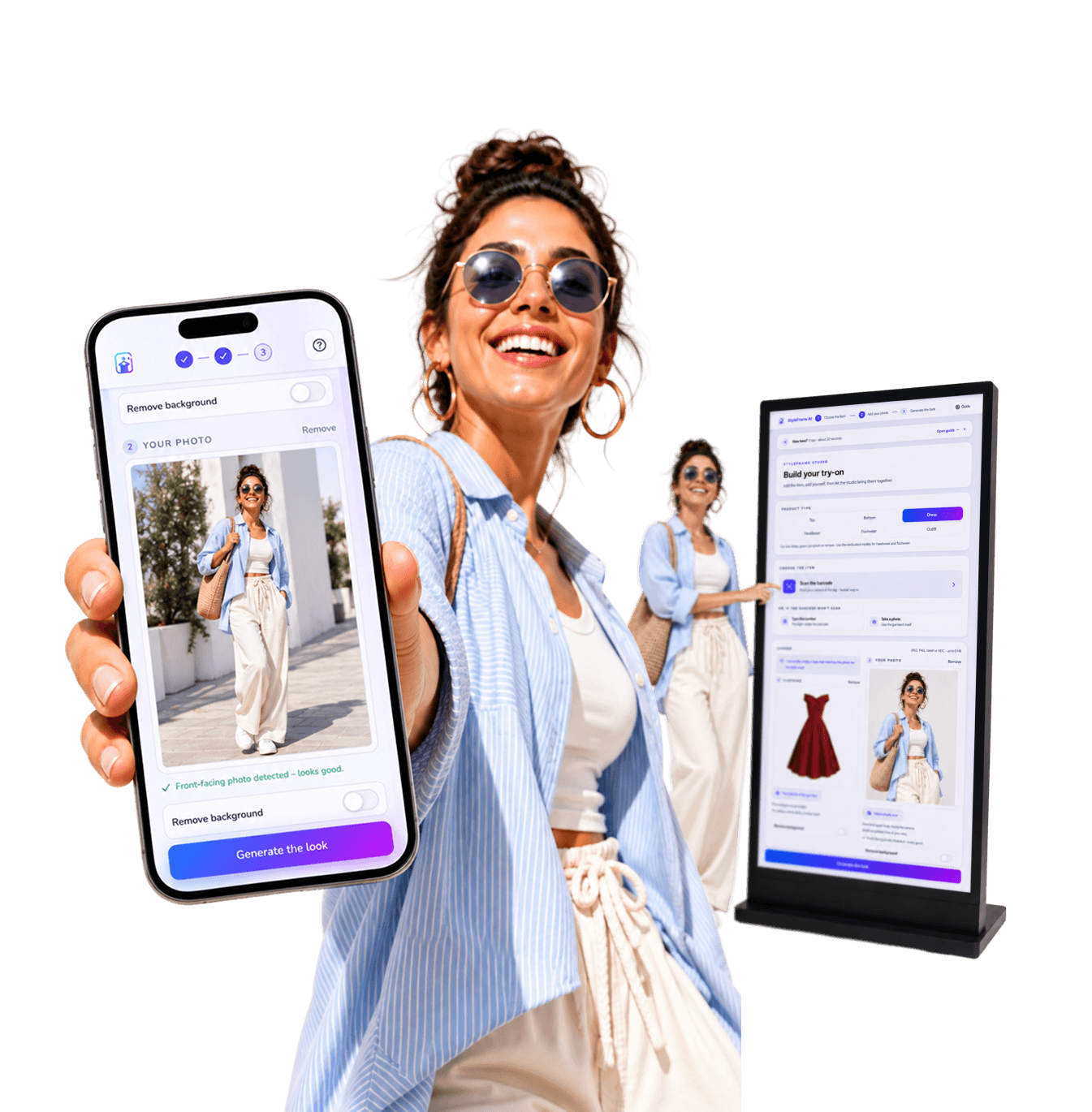
StyleFrame is a virtual try-on experience that lets shoppers see themselves in different outfits, build complete looks, and choose with confidence, all from a single photo.
Beyond the try-on, StyleFrame captures what shoppers explore and choose, helping businesses understand demand and make sharper decisions.
More of the collection than a trip to the fitting room could ever cover.
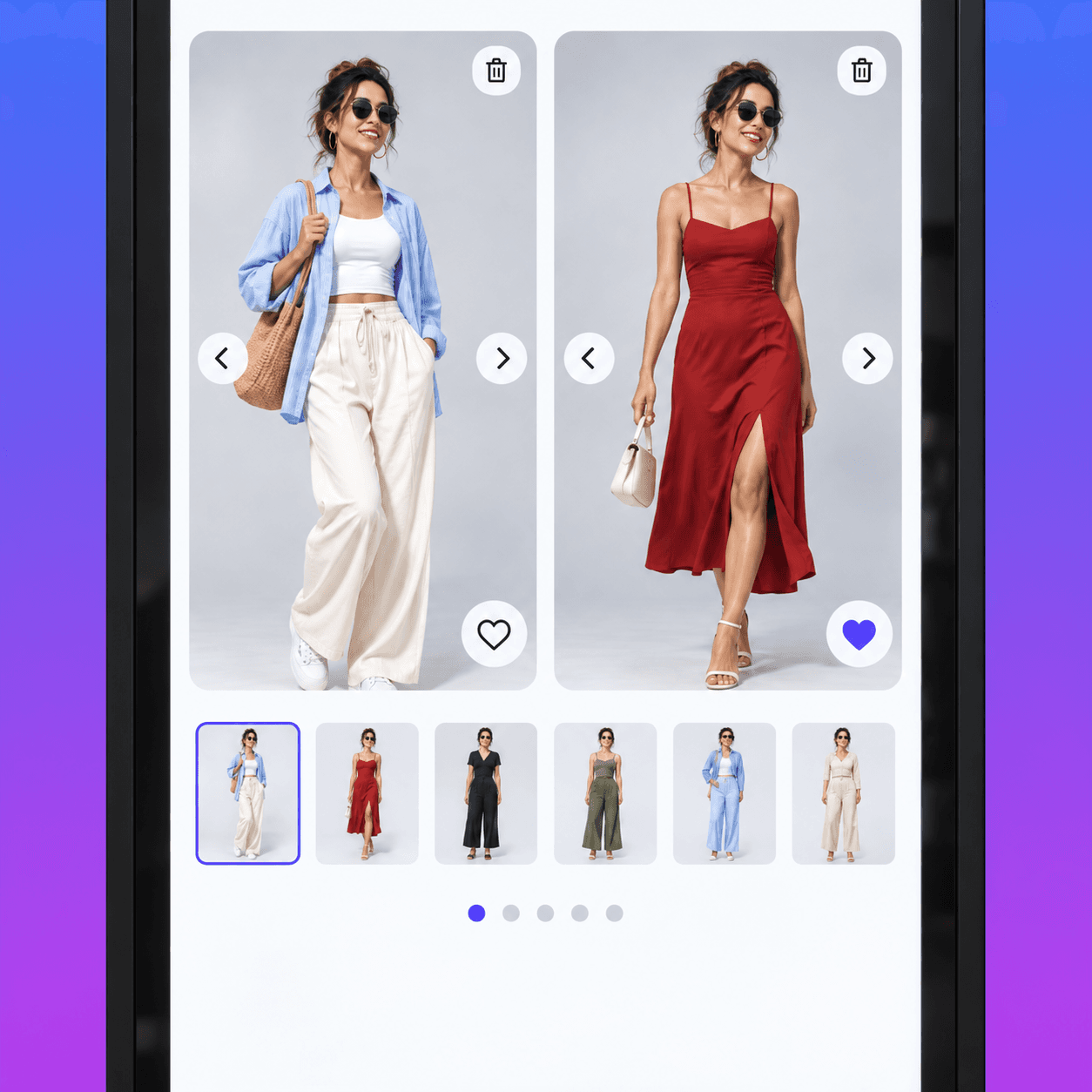
Every result sits against their own photo, so the difference is theirs to judge.
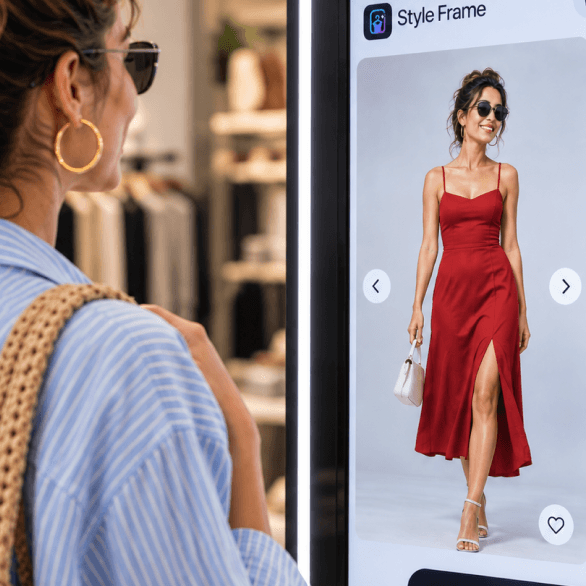
Their shape and their proportions, preserved in every look.
Because the best style decisions aren’t imagined.
They’re seen.
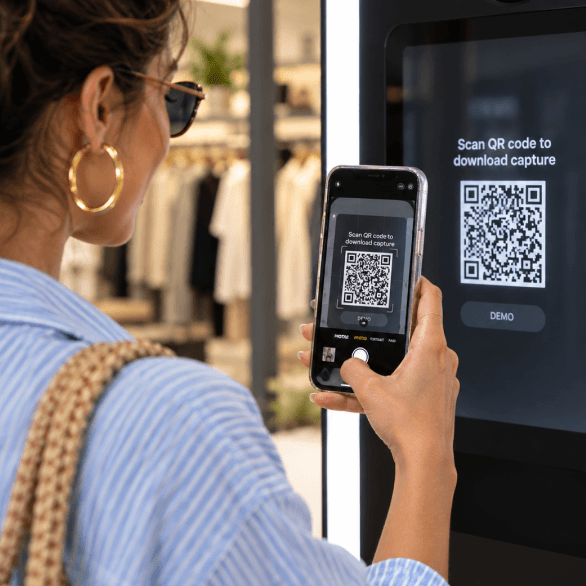
Scan the code and walk the exact flow your shoppers do on your own phone, right now.
Your phone camera opens the demo shop in the browser. No app; the public demo uses a quick phone-code verification.
Pick a garment from the demo catalogue and add one photo of yourself.
You walk the real studio end to end. The final render is paused on the public demo. Ask us and we will show you a live one.
One generic QR, the same on every garment. The web app opens on their phone with no app. Ordinary in-store visits stay anonymous; the public demo uses phone verification. A guided in-store kiosk is planned as a later option.
One quick photo of themselves is all it takes to set up a personalised try-on.
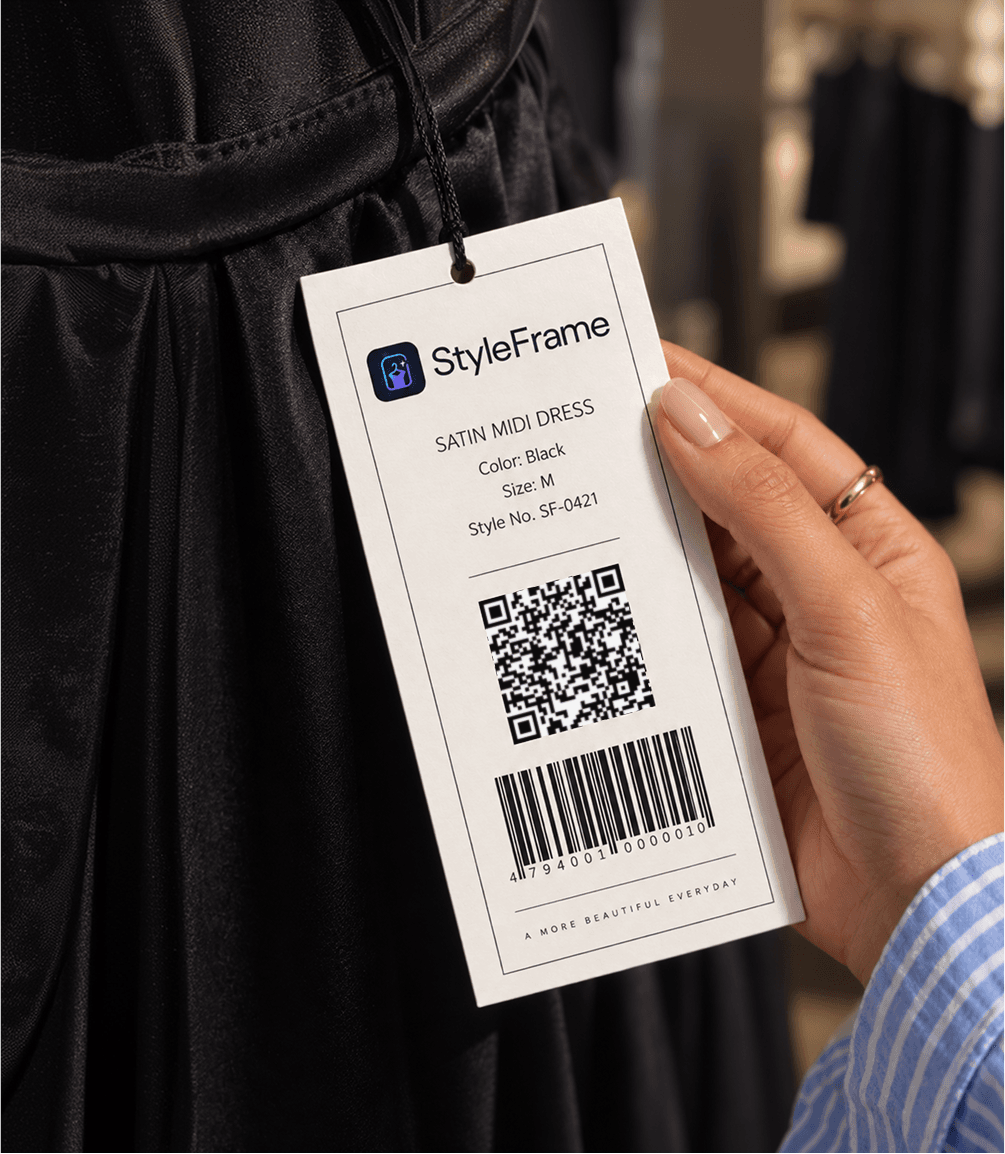
The barcode on the tag names the exact item and colourway. Add more pieces to build a complete outfit and see the combinations they want to try.
Each look is rendered on them in about a minute, with their own proportions preserved. They check the result against their own photo before deciding.
Every look is shown on them with their shape and proportions preserved, so each comparison is personal and every decision is more certain.
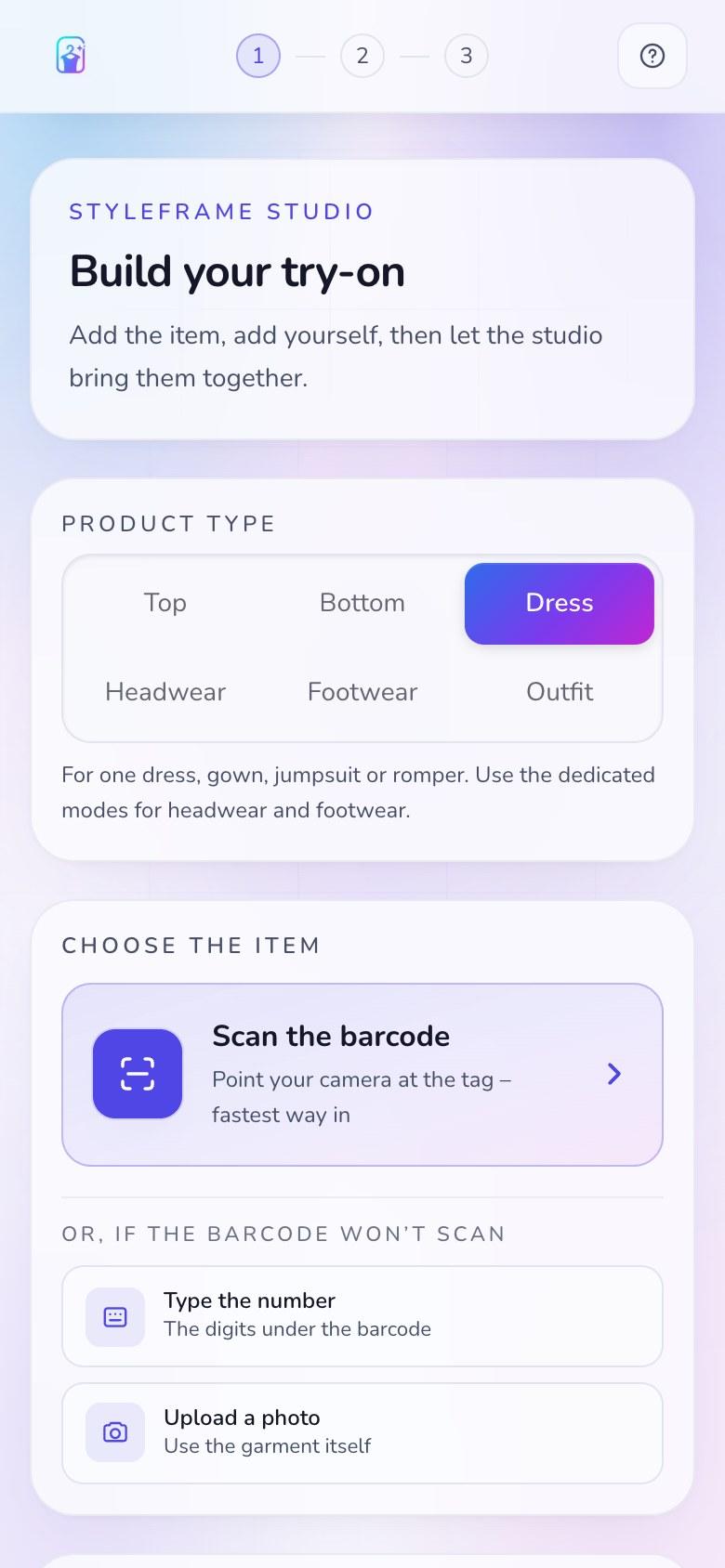
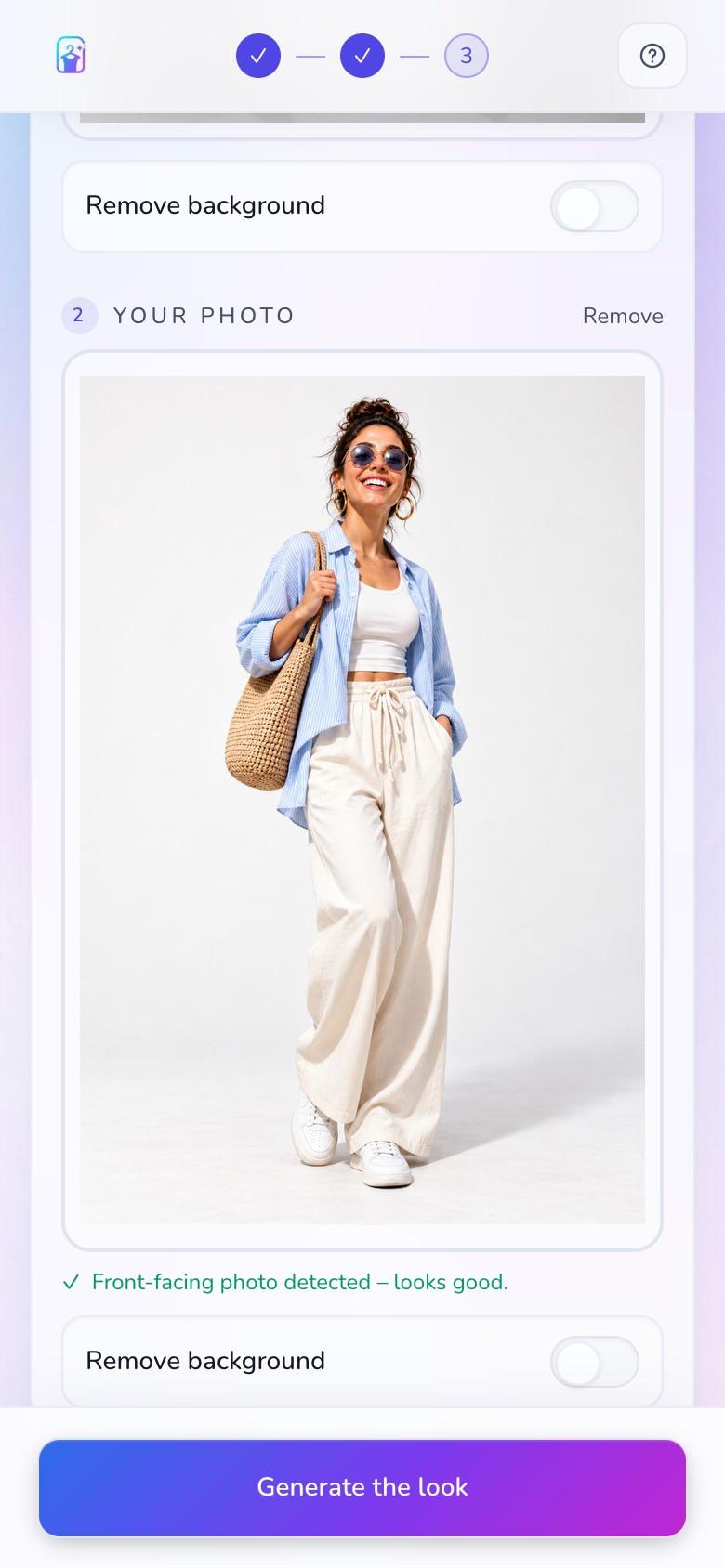
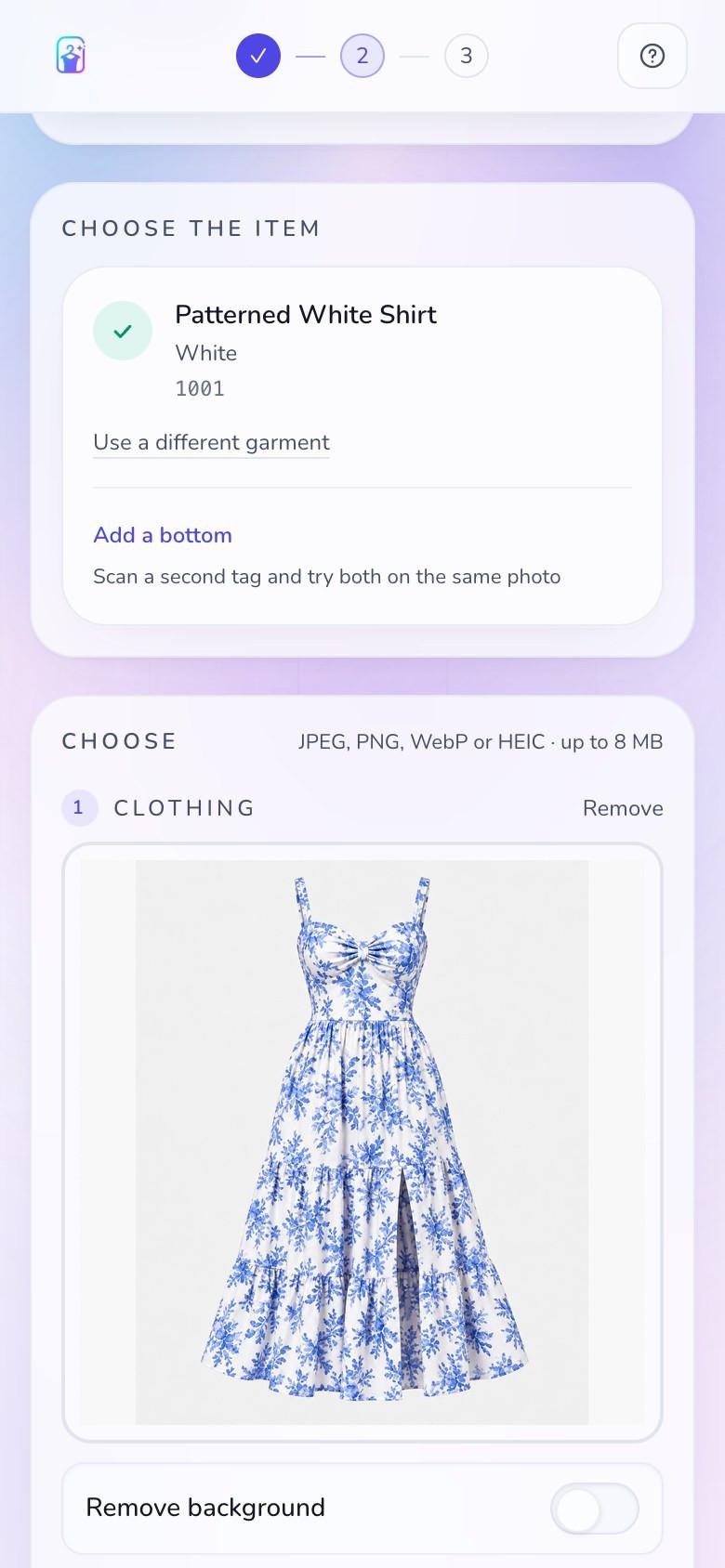
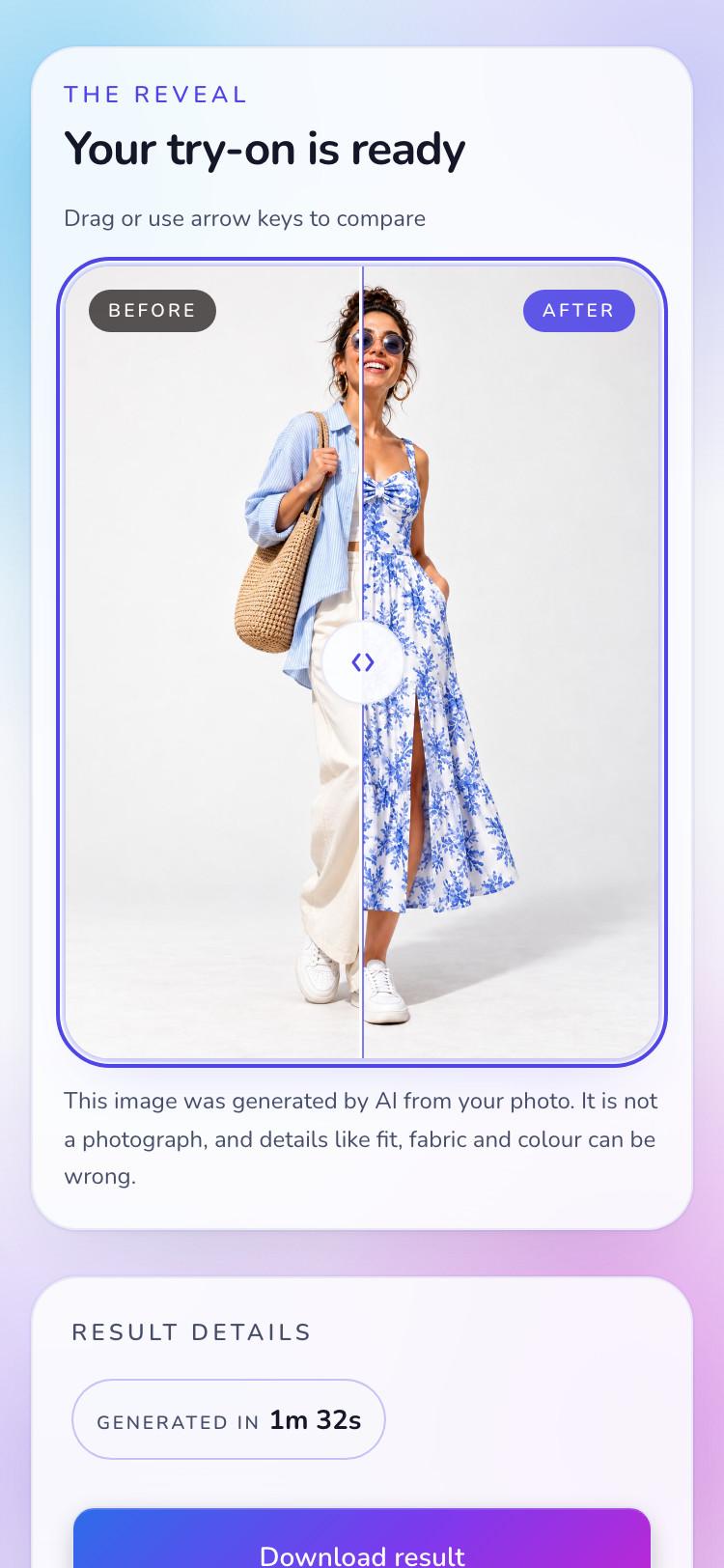
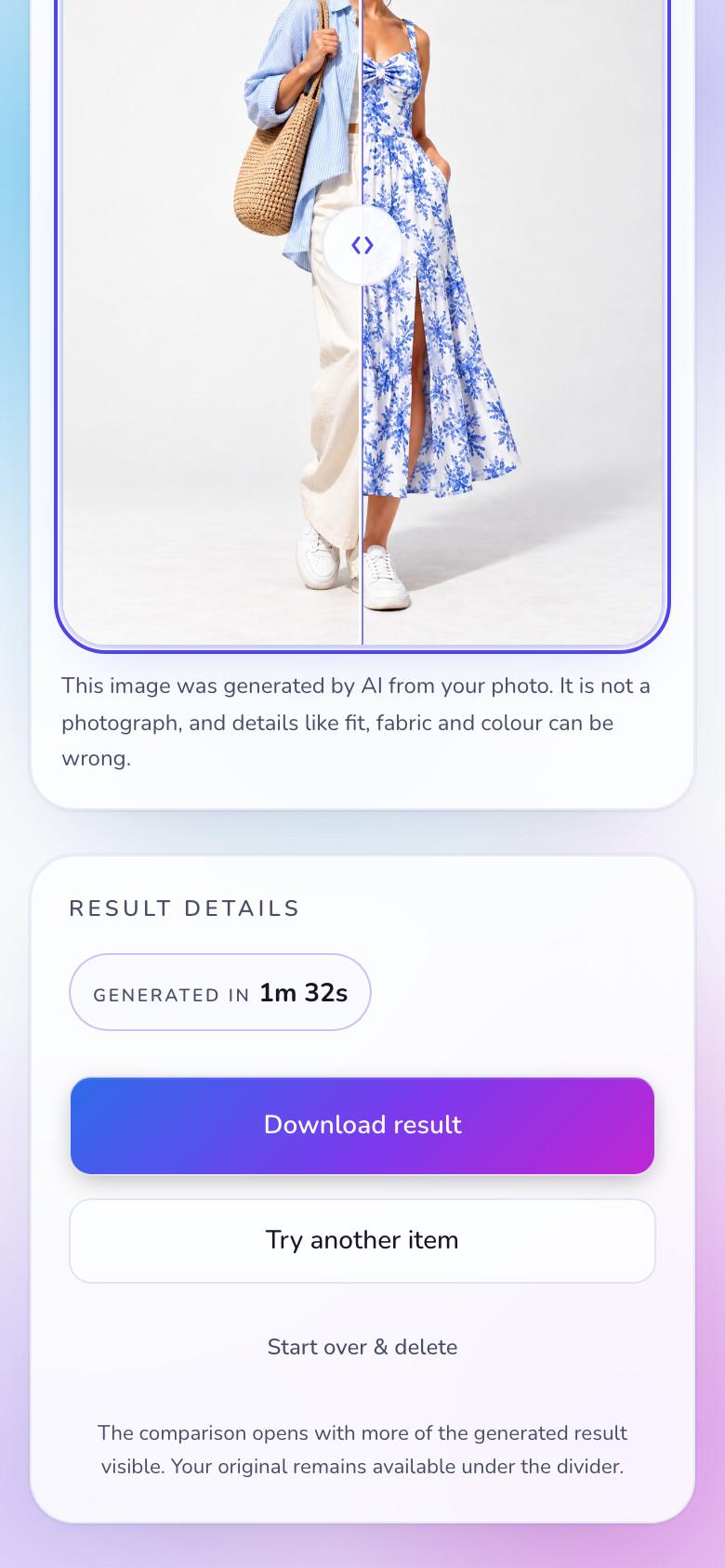
Your customer does all of this on their own phone, standing in front of the rail.
See complete outfits before trying them on.
See every look on yourself, not a generic model.
Build and compare looks against your own photo.
Make every store visit more interactive and engaging.
A smarter way to showcase more of the collection.
Help the store understand what shoppers want.
It goes on the hangtag an inch above the barcode you already print. When your stock changes, nothing about the sticker changes. When you open a second branch, it is the same sticker again.

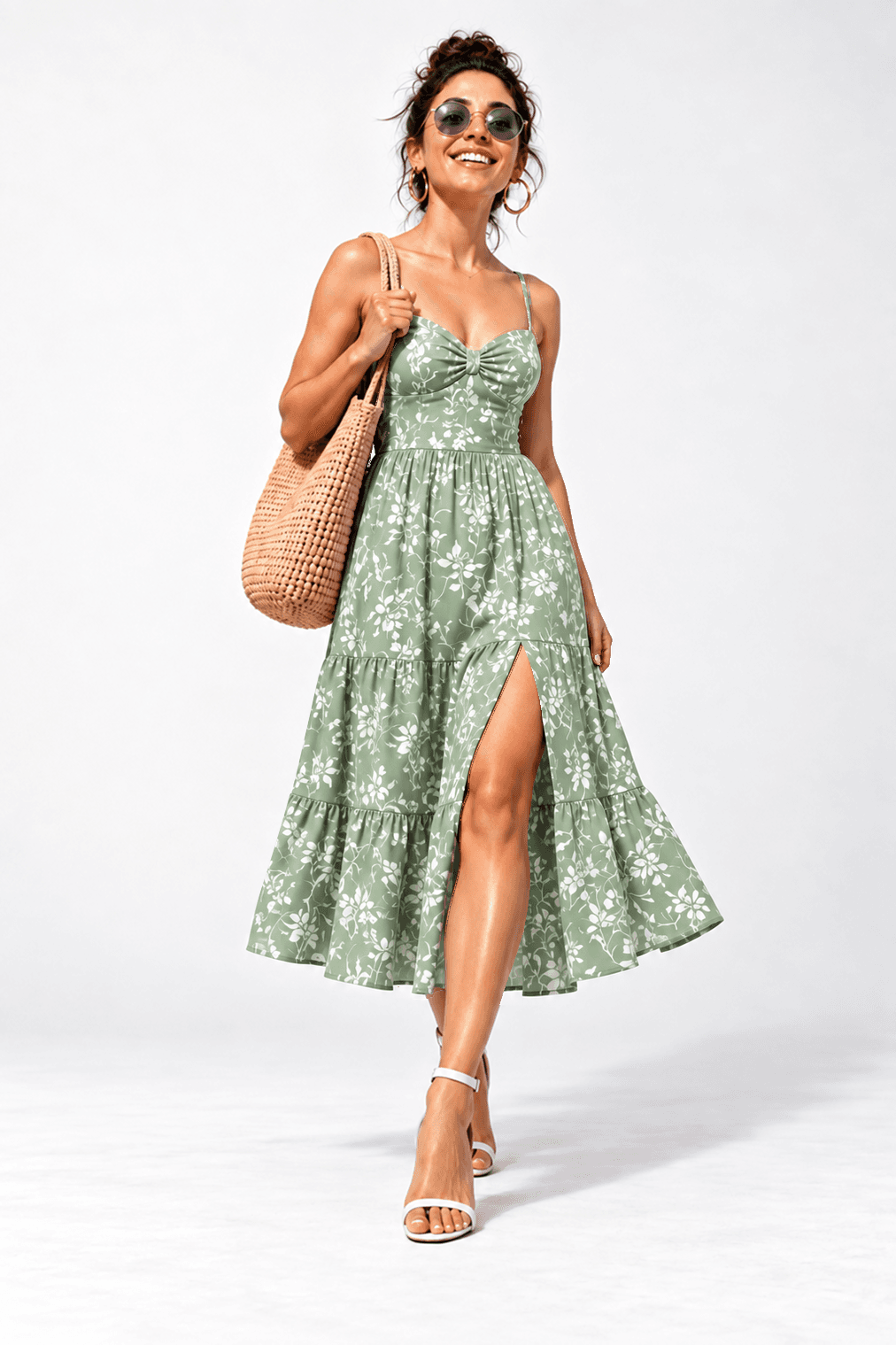
The garment changes. Their proportions, pose and surroundings do not. That consistency makes the result worth trusting.
Headwear and footwear are their own try-on modes, not an afterthought bolted onto a top. Each one changes only the region it owns.
StyleFrame AI generates synthetic previews. Results are approximate and can contain mistakes.
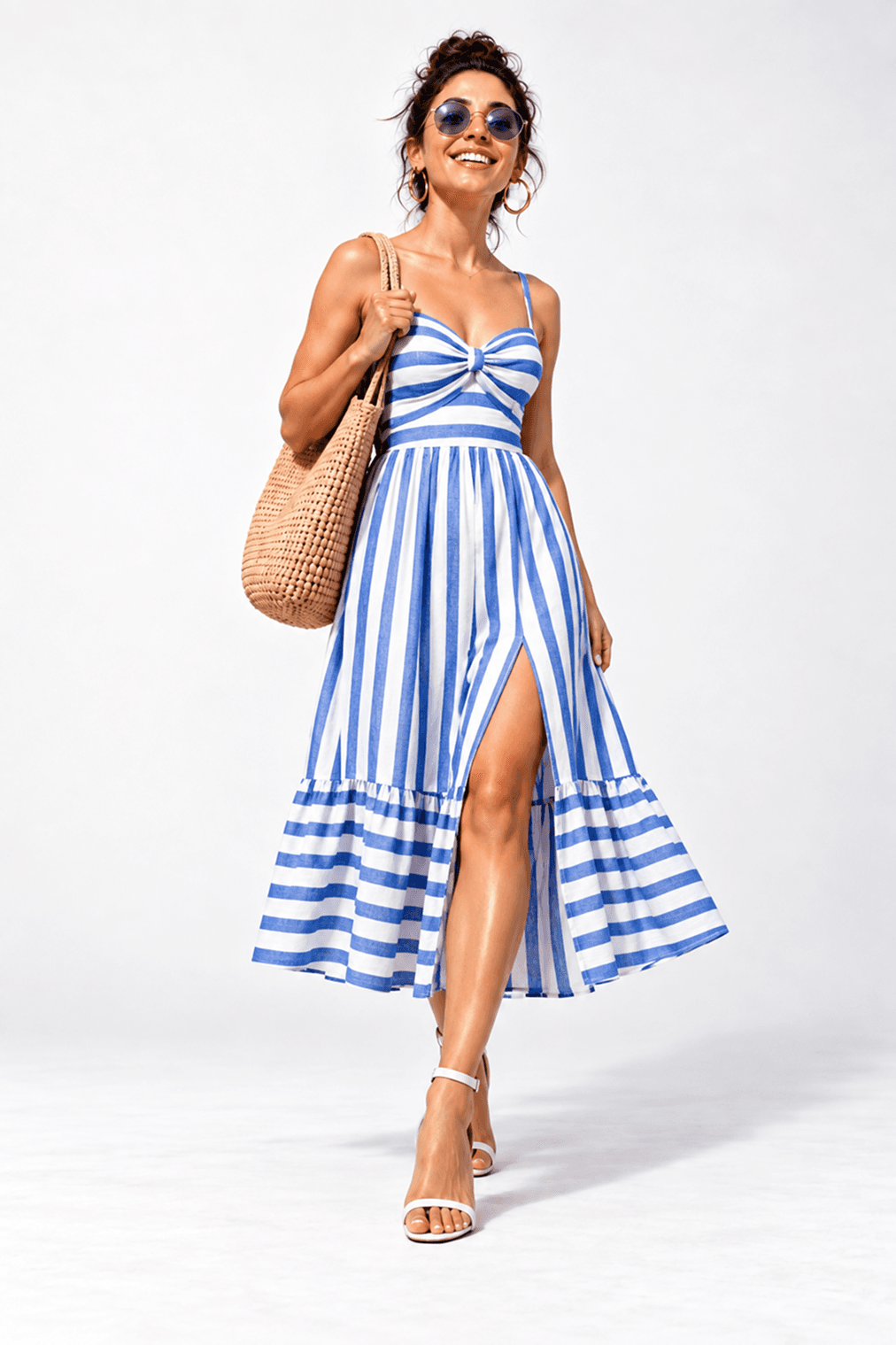
Drag or use arrow keys to compare
Every frame below is a real generation from the live studio, not an illustration of one.
The garment changes. Their proportions, pose and surroundings do not. That consistency makes the result worth trusting.
StyleFrame AI generates synthetic previews. Results are approximate and can contain mistakes.
Drag or use arrow keys to compare
We can show you what people wanted. We will never claim your revenue as our number.
Entry interest
Finished journeys
Colour and size pull
Looks built together
Return consideration
Interest without action
We can show you what people wanted. We will never claim your revenue as our number.
Start with QR try-on today. Add kiosks, online experiences and retail insight as you grow.
One platform. Every experience connected.
From the first scan to automatic deletion, every step is designed to collect less and keep it for less time.
No. The QR sticker sits on the hangtag. The customer scans it with their own phone while they browse. There is no queue, no app to download, and your staff don't need to intervene.
Ordinary in-store visits need no name, email, phone number, or account. Our public Kandy Silks demo separately verifies a Sri Lankan mobile number so each person receives three lifetime free try-ons.
No. StyleFrame uses a simple CSV upload of your catalogue and can look up barcodes against your existing exported feed.
No virtual try-on is perfect. StyleFrame AI generates a high-fidelity synthetic preview that preserves the garment's drape and the customer's body shape, but it is an approximation, not a photograph.
Create shopping experiences worth coming back for while understanding what shoppers wanted, not just what they bought. From every try-on and comparison to every purchase, StyleFrame gives your business a clearer picture of shopper interest through one connected retail platform.
In a shop right now? Point your phone camera at the tag on the garment.
